
Article Categories
- Baldur's Gate 3
- Diablo
- Elder Scrolls
- General
- Hogwarts Legacy
- League of Legends
- Minecraft
- Pokemon Go
- Sims 4
- StarCraft
- Steam Platform
- Xbox Game Console
More Articles
How do I open the seal door?

I'm playing "Darkness Within" (PC via Steam.) I'm in the hidden rooms underneath Edward Braunbell's mansion, trying to solve the puzzle to get through the door with the seals.
I've collected all 3 seal pieces (2 from the tower, one from the palanquin) and the turnkey. I placed the three seal pieces into the door:.
Then I added the turnkey and rotated it 3 times so that its position matched the clue on the back of the map:.
But now I can't figure out how to actually open the door.
According to the walkthrough I consulted when I got stuck (scroll down to section "Edward Braunbell's Manion"), the door should unlock after I rotate the turnkey to the appropriate position. However nothing is happening.
How do I open this door?
Question from user Roddy of the Frozen Peas at gaming.stackexchange.com.
Answer:
The trick, it turns out, is having the seal pieces in the correct positions. While they appear to be oriented in a certain way in your inventory, that's not necessarily the way they need to be oriented in the lock itself. It's not obvious, but you can put the first seal piece into any position on the door, not just the one position where it appears to fit when you take it out of your inventory.
The back of the map gives the first clue:.
Originally I had thought that the map clue was only telling the turnkey positions (the circle at 11 o'clock, arc at 1 o'clock, and concentric circles at 6 o'clock). While that is actually the correct answer to the turnkey positions, the map clue is also telling the correct positions of the seal. Notice the start on the right and the triangle on the left.
Turns out that if you examine the backs of the seal pieces, you can find symbols on some of them. For example, rotating the piece with the single star point in the middle, you can see it has a star on the back of it:.
This piece, therefore, goes on the right. It's not necessary to inspect the other pieces, because once you get one piece into the correct position, there's only one position each of the other pieces can be placed.
The resulting seal looks -- for the most part -- the same as an incorrect attempt, so there's no visual clues if you've done it correctly or not.
Then place the turnkey, rotate it so it matches the clue on the map, and the door will open as expected.
Answer from user Roddy of the Frozen Peas at gaming.stackexchange.com.
I'm playing "Darkness Within" (PC via Steam.) I'm in the hidden rooms underneath Edward Braunbell's mansion, trying to solve the puzzle to get through the door with the seals.
I've collected all 3 seal pieces (2 from the tower, one from the palanquin) and the turnkey. I placed the three seal pieces into the door:.
Then I added the turnkey and rotated it 3 times so that its position matched the clue on the back of the map:.
But now I can't figure out how to actually open the door.
According to the walkthrough I consulted when I got stuck (scroll down to section "Edward Braunbell's Manion"), the door should unlock after I rotate the turnkey to the appropriate position. However nothing is happening.
How do I open this door?
Question from user Roddy of the Frozen Peas at gaming.stackexchange.com.
Answer:
The trick, it turns out, is having the seal pieces in the correct positions. While they appear to be oriented in a certain way in your inventory, that's not necessarily the way they need to be oriented in the lock itself. It's not obvious, but you can put the first seal piece into any position on the door, not just the one position where it appears to fit when you take it out of your inventory.
The back of the map gives the first clue:.
Originally I had thought that the map clue was only telling the turnkey positions (the circle at 11 o'clock, arc at 1 o'clock, and concentric circles at 6 o'clock). While that is actually the correct answer to the turnkey positions, the map clue is also telling the correct positions of the seal. Notice the start on the right and the triangle on the left.
Turns out that if you examine the backs of the seal pieces, you can find symbols on some of them. For example, rotating the piece with the single star point in the middle, you can see it has a star on the back of it:.
This piece, therefore, goes on the right. It's not necessary to inspect the other pieces, because once you get one piece into the correct position, there's only one position each of the other pieces can be placed.
The resulting seal looks -- for the most part -- the same as an incorrect attempt, so there's no visual clues if you've done it correctly or not.
Then place the turnkey, rotate it so it matches the clue on the map, and the door will open as expected.
Answer from user Roddy of the Frozen Peas at gaming.stackexchange.com.
Is there an easier Whistle Sprint Alternative to execute in Tears Of The Kingdom?

How do I get the star behind the gate in The City?
What do I do with the mysterious key in Across The Obelisk?
How do I fix my system crashing randomly when Minecraft chat is opened?

Hogwarts Legacy Collectors Edition Trophy Troubles

Do pawns take their inventory with them when they leave your party?
[Warning: Spoiler] I feel so alone in liking Natsai in Hogwarts
![[Warning: Spoiler] I feel so alone in liking Natsai in Hogwarts](https://questionsanswersonline.com/images/BlogImages/974_1_000005.jpg)
Do opponents Pokémons Power Points deplete in Pokemon Stadium?

How do I make two or more lines of Lore on an item?
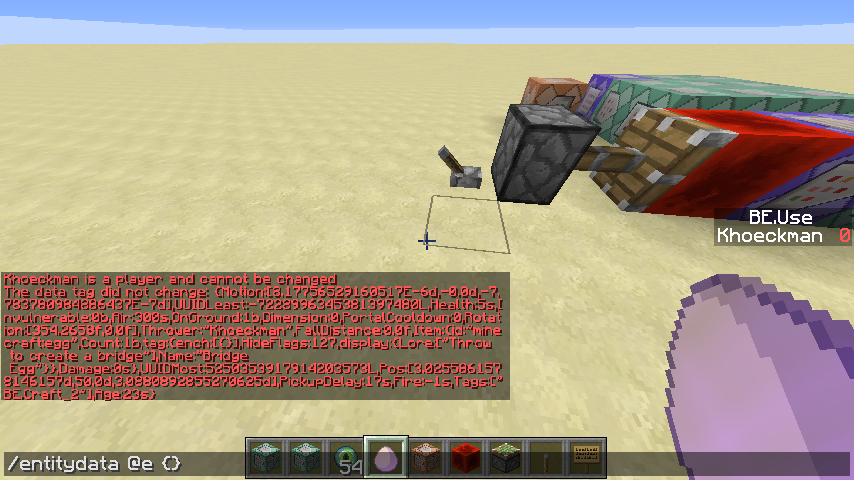
Can scoreboards detect if a player is killed with a specific item?