Article Categories
- Baldur's Gate 3
- Diablo
- Elder Scrolls
- General
- Hogwarts Legacy
- League of Legends
- Minecraft
- Pokemon Go
- Sims 4
- StarCraft
- Steam Platform
- Xbox Game Console
More Articles
How to Trade Between Pokemon Ruby and Sapphire emulator on my Macbook pro?
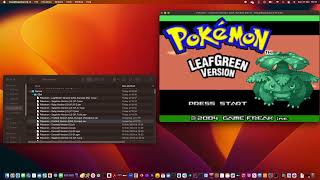
I would like to trade Pokemon for evolution between Ruby and Sapphire emulators for trades. However, I cannot seem to get an emulator that works on my Macbook M1 with Ventura to load 2 games at once.
The emulator that I am using is VisualBoyAdvance.
My Apple Hardware is Apple M1 Chip with Ventura.
The save files I am using are .sav.
When using VisualBoyAdvance, but had no luck as the instances of VisualBoyAdvance keep disconnecting.
Question from user apollowebdesigns at gaming.stackexchange.com.
Answer:
How to solve this is very similar to the answer that I have given for Pokemon Fire Red and Leaf Green.
However, there are some key differences that need to be highlighted when I last wrote about this.
The Mac I am using has a different OS and Architecture from before - the previous machine was Intel Chip and this one is M1.
The version of VisualBoyAdvance is different and doesn't require installing from GitHub this time.
There are quirks around trading that the save files create duplicate ones, therefore when reloading the game, you load the state that was loaded pre trade, rather than post trade.
Prerequisites.
Back up your save files first.
Before trading.
Download VBA. Install the right version for your system, I have installed the 64 bit.
Copy VBA to Applications folder.
Copy VBA in the Applications folder so that you have 2 VBAs, in there as shown in the video.
Make sure that the games actively run in the background first before any trading, so that you can have both Fire Red and Leaf Green active at not frozen if not selected.
Always use a keyboard to control the VBA and not a Bluetooth controller - if you use a Bluetooth controller, it also controls the game in the background which is not what you want, so have the keyboard set up first.
Starting the trade.
Open both VBAs up, do not load the game, just open them.
Go to link, select link type as cable.
Start network link, set one as server with the link set to "*", and the other VBA as client looking at "localhost".
They should connect.
load the games.
Complete the trade.
Save the game afterward.
Check your saves and it should all be there.
Post Trade.
Check your save files in your file directory - there might be a newer one created with a suffix of -1 - for example Pokemon - "Sapphire Version (U) (V1.1)-1.sav".
If you see the above, then delete the old save file "Sapphire Version (U) (V1.1).sav" and rename "Sapphire Version (U) (V1.1)-1.sav" to "Sapphire Version (U) (V1.1).sav".
Then load up your game and check that everything is working as expected and delete the backups if you no longer want them.
I have also shown how to achieve this in a YouTube video - .
.
.
Answer from user apollowebdesigns at gaming.stackexchange.com.
I would like to trade Pokemon for evolution between Ruby and Sapphire emulators for trades. However, I cannot seem to get an emulator that works on my Macbook M1 with Ventura to load 2 games at once.
The emulator that I am using is VisualBoyAdvance.
My Apple Hardware is Apple M1 Chip with Ventura.
The save files I am using are .sav.
When using VisualBoyAdvance, but had no luck as the instances of VisualBoyAdvance keep disconnecting.
Question from user apollowebdesigns at gaming.stackexchange.com.
Answer:
How to solve this is very similar to the answer that I have given for Pokemon Fire Red and Leaf Green.
However, there are some key differences that need to be highlighted when I last wrote about this.
The Mac I am using has a different OS and Architecture from before - the previous machine was Intel Chip and this one is M1.
The version of VisualBoyAdvance is different and doesn't require installing from GitHub this time.
There are quirks around trading that the save files create duplicate ones, therefore when reloading the game, you load the state that was loaded pre trade, rather than post trade.
Prerequisites.
Back up your save files first.
Before trading.
Download VBA. Install the right version for your system, I have installed the 64 bit.
Copy VBA to Applications folder.
Copy VBA in the Applications folder so that you have 2 VBAs, in there as shown in the video.
Make sure that the games actively run in the background first before any trading, so that you can have both Fire Red and Leaf Green active at not frozen if not selected.
Always use a keyboard to control the VBA and not a Bluetooth controller - if you use a Bluetooth controller, it also controls the game in the background which is not what you want, so have the keyboard set up first.
Starting the trade.
Open both VBAs up, do not load the game, just open them.
Go to link, select link type as cable.
Start network link, set one as server with the link set to "*", and the other VBA as client looking at "localhost".
They should connect.
load the games.
Complete the trade.
Save the game afterward.
Check your saves and it should all be there.
Post Trade.
Check your save files in your file directory - there might be a newer one created with a suffix of -1 - for example Pokemon - "Sapphire Version (U) (V1.1)-1.sav".
If you see the above, then delete the old save file "Sapphire Version (U) (V1.1).sav" and rename "Sapphire Version (U) (V1.1)-1.sav" to "Sapphire Version (U) (V1.1).sav".
Then load up your game and check that everything is working as expected and delete the backups if you no longer want them.
I have also shown how to achieve this in a YouTube video - .
.
.
Answer from user apollowebdesigns at gaming.stackexchange.com.
How many aspects can you hold in your inventory in Diablo 4?
How can I show the map layer ui?
Why didnt the game save some of my Walking Dead choices?
Custom Biome by Y level minecraft datapack
Do Fortnite V-Bucks Purchases Save on All Platforms?

Hogwarts Legacy Collectors Edition Trophy Troubles
How can I import a custom map into Minecraft?
What Hogwarts House Did You Pick and Why?

How can I complete Desert Snakes in Forza Horizon 5?
How to quickly check if peaceful mode enable - disable