Article Categories
- Baldur's Gate 3
- Diablo
- Elder Scrolls
- General
- Hogwarts Legacy
- League of Legends
- Minecraft
- Pokemon Go
- Sims 4
- StarCraft
- Steam Platform
- Xbox Game Console
More Articles
Downloading windows version of steam games on a mac to copy over to a pc
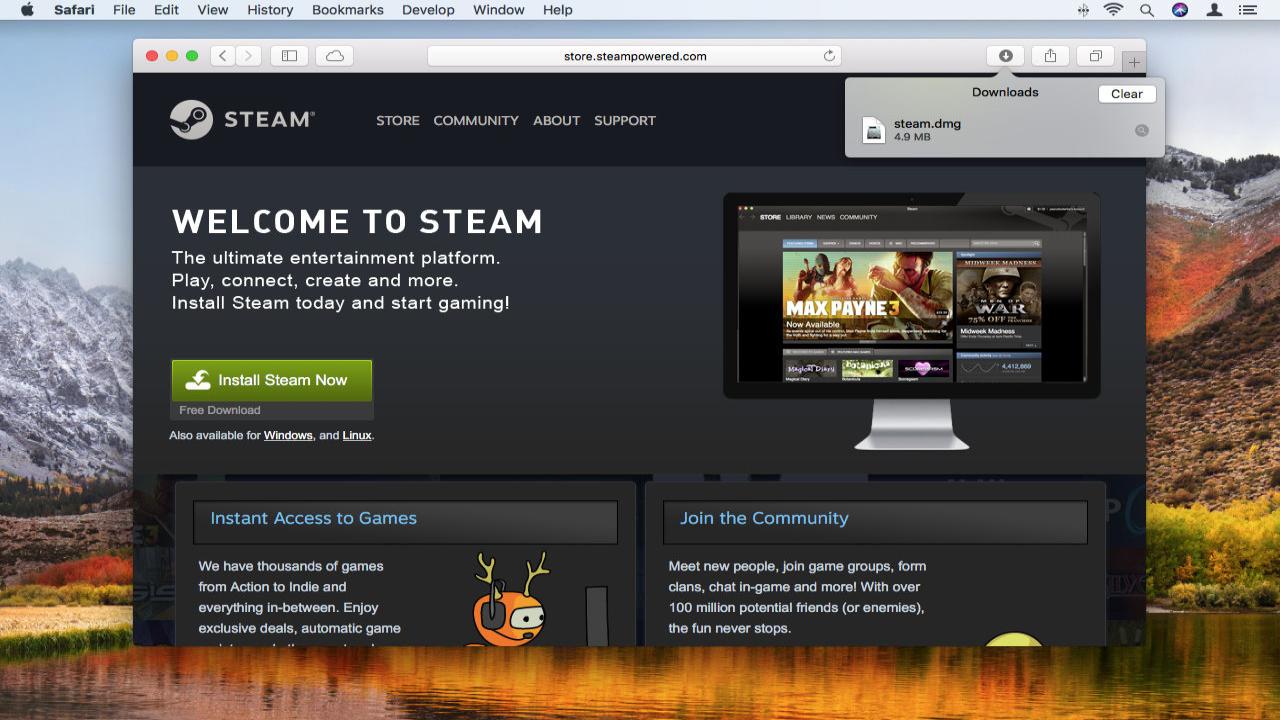
I am sharing an internet connection with a few roommates and have a data cap. I would love to be able to use my MacBook to download games onto it, create Steam backups and install them on Windows.
I have crossover, but Steam refuses to render the library pages and instead shows me a black screen. And the overall experience of using Steam in small mode is terrible. I can't uninstall installed games, adjust download queue order, and much more.
Question from user Blaine at stackexchange.
Answer:
You have two options:.
Game File Transfer over Local Network.
The first one is to use Steam's "Game File Transfer over Local Network". This allows you to share a game between computers in the same network.
Some well made games like Euro Truck Simulator 2 use the same files for all operating systems it supports, and the only thing different are the executables. In the case of games like this, it's the best option, as you don't need to do anything other than download the game.
You just enable the option in the Steam Settings and the other PCs in the network will automatically pull the game files from your Mac, and then get the Windows executables from Steam, which for good games should not be more than a couple of megabytes.
Manual Download with DepotDownloader.
You can use DepotDownloader to download a specific game version for a specific operating system.
To download a specific game with DepotDownloader, follow this set of steps:.
Download and Install .NET for macOS, either .NET 6 or .NET 7.
Download DepotDownloader (click on the ZIP file).
Extract said ZIP File somewhere.
Remove the file called DepotDownloader.runtimeconfig.json.
Open a new Terminal window from Finder.
Enter dotnet DepotDownloader.dll -app -os windows -username -password (replace USERNAME and PASSWORD with your login details, and APPID with the Game's specific appid) and press enter.
Then, you just wait for DepotDownloader to download the entirety of the Windows version of that specific game.
To install those files, you start the download of the game in the other PC, close Steam and then replace the game files with the folder created by DepotDownloader. Steam will then verify that all of the files are present and that nothing needs to be downloaded.
Answer from user Lemon at stackexchange.
I am sharing an internet connection with a few roommates and have a data cap. I would love to be able to use my MacBook to download games onto it, create Steam backups and install them on Windows.
I have crossover, but Steam refuses to render the library pages and instead shows me a black screen. And the overall experience of using Steam in small mode is terrible. I can't uninstall installed games, adjust download queue order, and much more.
Question from user Blaine at stackexchange.
Answer:
You have two options:.
Game File Transfer over Local Network.
The first one is to use Steam's "Game File Transfer over Local Network". This allows you to share a game between computers in the same network.
Some well made games like Euro Truck Simulator 2 use the same files for all operating systems it supports, and the only thing different are the executables. In the case of games like this, it's the best option, as you don't need to do anything other than download the game.
You just enable the option in the Steam Settings and the other PCs in the network will automatically pull the game files from your Mac, and then get the Windows executables from Steam, which for good games should not be more than a couple of megabytes.
Manual Download with DepotDownloader.
You can use DepotDownloader to download a specific game version for a specific operating system.
To download a specific game with DepotDownloader, follow this set of steps:.
Download and Install .NET for macOS, either .NET 6 or .NET 7.
Download DepotDownloader (click on the ZIP file).
Extract said ZIP File somewhere.
Remove the file called DepotDownloader.runtimeconfig.json.
Open a new Terminal window from Finder.
Enter dotnet DepotDownloader.dll -app -os windows -username -password (replace USERNAME and PASSWORD with your login details, and APPID with the Game's specific appid) and press enter.
Then, you just wait for DepotDownloader to download the entirety of the Windows version of that specific game.
To install those files, you start the download of the game in the other PC, close Steam and then replace the game files with the folder created by DepotDownloader. Steam will then verify that all of the files are present and that nothing needs to be downloaded.
Answer from user Lemon at stackexchange.
Difference between Yakuza 0 and Yakuza 6

Will setting your time to April 1st bring back April Fools features on Minecraft?
How do I transfer wares for a mission in X4 Foundations?
When do enemies get added to to the Piklopedia?

Why is Shadowheart so…. loved?

What is the use of making dinosaurs poop in Ark?
Will a Star Fragment disappear if I use fast travel in Tears of the Kingdom?

What are your worst dice roll experiences?

Can I use Xbox 360 controllers with Xbox Classic (first generation of Xbox)?