

Article Categories
- Baldur's Gate 3
- Diablo
- Elder Scrolls
- General
- Hogwarts Legacy
- League of Legends
- Minecraft
- Pokemon Go
- Sims 4
- StarCraft
- Steam Platform
- Xbox Game Console
More Articles
In Hogwarts is it possible to change audio language?
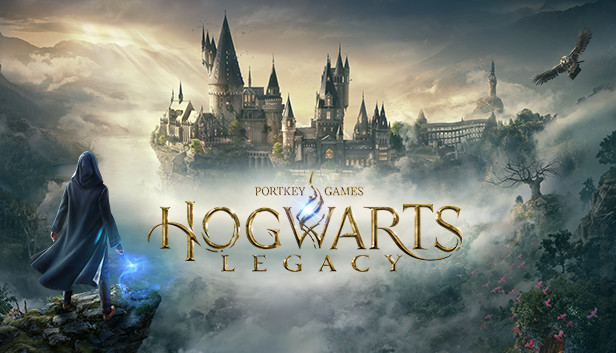
I am playing the Japanese version of Hogwarts Legacy on PC (Steam). The store page says that Hogwarts Legacy has Full Audio support for 8 languages, including Japanese.
But, for immersion, I want to play in the language of the country in which it is set, for example, in this case, the UK, and I would like to try to play in the audio of that language, if available.
According to the store page, of course it includes English Full Audio support - however, I cannot find a way to change the audio language in my game. There seems to be no setting in the settings either.
Is there any way to change the audio language to a specific language, in this case, English?
Question from user Skye-AT at gaming.stackexchange.com.
Answer:
I've found a way, apparently:.
According to this post on Steam community, you can edit your .exe of Hogwarts Legacy to get English VO with (possbily) your favorite supported language's subtitles.
SteamsteamappscommonHogwarts LegacyPhoenixBinariesWin64.
↑Open HogwartsLegacy.exe in the location shown above with a binary editor.
Search for "zh-CN" in the binary editor.
Change "zh-CN" to "ja-JP" and "schinece" to "japanese" and save.
Change the language to Simplified Chinese from the Hogwarts Legacy properties on Steam.
Launch the game.
(quoted that post, edited a little to look better on stackexchange).
I guess this method is "abusing" a language that has no Full Audio support (zh-CN is Simplified Chinese (schinese), and that language doesn't have Full Audio support; I think default VO is English, so any language that has no Full Audio support, the VO will be English and subtitles will be the language player have chosen) to have English VO, and your desired supported language's subtitles.
Below is a list of country codes that has Full Audio support, if I'm not mistaken (excluded English):.
fr-FR french.
it-IT italian.
de-DE german.
es-ES spanish.
ja-JP japanese.
pt-BR brazilian.
es-MX latam.
Simply change zh-CN and schinese to your favorite language (if French, fr-FR and french) to get English VO/French subtitles. Though, I haven't tested myself other than Japanese, so I don't know if it actually works.
Use your favorite Hex Editor to achieve it. I've used HxD, but anything that can edit .exe should work.
Disclaimer: I don't know if this method will lead you get banned, but knowing that this game is single-player only, I don't think it'll lead you to ban, but I do not take any responsibility.
Answer from user Skye-AT at gaming.stackexchange.com.
I am playing the Japanese version of Hogwarts Legacy on PC (Steam). The store page says that Hogwarts Legacy has Full Audio support for 8 languages, including Japanese.
But, for immersion, I want to play in the language of the country in which it is set, for example, in this case, the UK, and I would like to try to play in the audio of that language, if available.
According to the store page, of course it includes English Full Audio support - however, I cannot find a way to change the audio language in my game. There seems to be no setting in the settings either.
Is there any way to change the audio language to a specific language, in this case, English?
Question from user Skye-AT at gaming.stackexchange.com.
Answer:
I've found a way, apparently:.
According to this post on Steam community, you can edit your .exe of Hogwarts Legacy to get English VO with (possbily) your favorite supported language's subtitles.
SteamsteamappscommonHogwarts LegacyPhoenixBinariesWin64.
↑Open HogwartsLegacy.exe in the location shown above with a binary editor.
Search for "zh-CN" in the binary editor.
Change "zh-CN" to "ja-JP" and "schinece" to "japanese" and save.
Change the language to Simplified Chinese from the Hogwarts Legacy properties on Steam.
Launch the game.
(quoted that post, edited a little to look better on stackexchange).
I guess this method is "abusing" a language that has no Full Audio support (zh-CN is Simplified Chinese (schinese), and that language doesn't have Full Audio support; I think default VO is English, so any language that has no Full Audio support, the VO will be English and subtitles will be the language player have chosen) to have English VO, and your desired supported language's subtitles.
Below is a list of country codes that has Full Audio support, if I'm not mistaken (excluded English):.
fr-FR french.
it-IT italian.
de-DE german.
es-ES spanish.
ja-JP japanese.
pt-BR brazilian.
es-MX latam.
Simply change zh-CN and schinese to your favorite language (if French, fr-FR and french) to get English VO/French subtitles. Though, I haven't tested myself other than Japanese, so I don't know if it actually works.
Use your favorite Hex Editor to achieve it. I've used HxD, but anything that can edit .exe should work.
Disclaimer: I don't know if this method will lead you get banned, but knowing that this game is single-player only, I don't think it'll lead you to ban, but I do not take any responsibility.
Answer from user Skye-AT at gaming.stackexchange.com.
Why cant I see the special world types in Minecraft even though I am pressing shift?

Minecraft 1.16 Nether Fortress Location - Generation

About the paladin characters...
Is it possible to play Battlefront 2 with private servers?
Can I complete Fallout 4s Home Sweet Home without enraging the Minute Men?
What triggers the new fist bump animation Splatoon 3?


is there a way to auto-join conversations in multiplayer Baldurs Gate 3?
The combat has ruined this game for me
Does being in full darkness prevent you from being detected in ToTK?